Email is where most selling actually happens.
Yet in many organizations, email lives in Outlook…
and CRM lives in Salesforce.
That disconnect costs time, accuracy, and visibility.
Salesforce for Outlook bridges that gap by syncing emails, contacts, events, and activities directly between Outlook and Salesforce automatically.
When email and CRM work together, sales teams stop logging data manually and start focusing on closing deals.
Why Salesforce for Outlook Is Still Critical in 2026
Sales tools have evolved.
But email remains the primary communication channel for sales, service, and operations teams.
Without Salesforce for Outlook, teams face:
- Manually logging emails
- Missed follow-ups
- Incomplete activity history
- Poor CRM adoption
- Inaccurate reporting
Salesforce for Outlook eliminates these problems by ensuring Salesforce reflects real customer conversations, not partial data.
What Is Salesforce for Outlook?
Salesforce for Outlook is an integration that connects Microsoft Outlook with Salesforce, allowing users to:
- Sync emails to Salesforce records
- Match contacts automatically
- Log calendar events
- View Salesforce data directly in Outlook
- Keep CRM data up to date without manual entry
This integration ensures Salesforce becomes a living system, not a reporting afterthought.
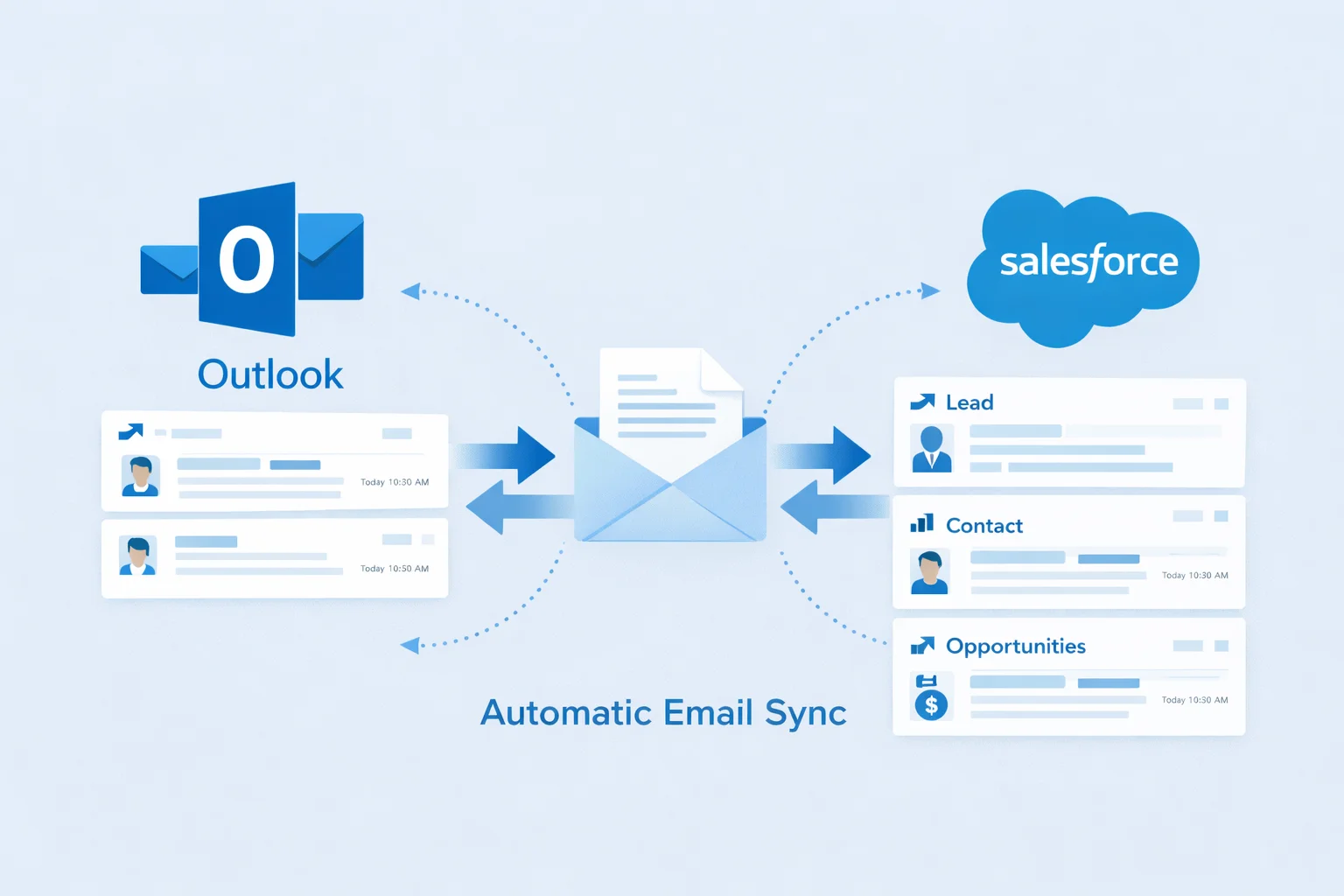
How Salesforce for Outlook Works
Salesforce for Outlook connects Outlook users to Salesforce in the background.
Key Capabilities Include:
- Automatic email logging to Leads, Contacts, and Opportunities
- Bi-directional contact syncing
- Calendar and meeting sync
- Activity tracking without manual effort
- Real-time visibility into customer communication
Once configured, users don’t need to “remember” CRM updates, the system handles it.
9 Powerful Benefits of Salesforce for Outlook
1. Automatic Email Logging
Emails sent and received in Outlook are logged in Salesforce automatically.
No copy-paste.
No manual uploads.
2. Higher CRM Adoption
When Salesforce updates itself, users actually use it.
This increases adoption across sales and service teams.
3. Complete Customer Timeline
Every email, meeting, and touchpoint is visible in Salesforce.
That creates context especially during handoffs.
4. Better Follow-Up Management
Missed follow-ups disappear when activities are logged automatically.
Sales teams stay accountable.
5. Accurate Pipeline Reporting
When activity data is complete, forecasts become reliable.
Leadership sees reality not estimates.
6. Faster Sales Cycles
Less admin work means more selling time.
Productivity improves without adding headcount.
7. Cleaner CRM Data
Automated syncing reduces human error and duplicate records.
Data stays consistent as volume grows.
8. Improved Collaboration
Sales, service, and management see the same communication history.
No silos. No guessing.
9. Better Customer Experience
Customers don’t have to repeat themselves.
Teams respond faster and smarter.

Salesforce for Outlook vs Manual Email Logging
| Feature | Salesforce for Outlook | Manual Logging |
|---|---|---|
| Email tracking | Automatic | Manual |
| Data accuracy | High | Inconsistent |
| User adoption | Strong | Weak |
| Reporting | Reliable | Incomplete |
| Scalability | Excellent | Poor |
Manual logging doesn’t scale.
Salesforce for Outlook does.
Common Salesforce for Outlook Use Cases
Sales Teams
- Automatically track deal conversations
- Log prospect communication without effort
Customer Support
- View email history linked to cases
- Maintain context across teams
Account Management
- Track renewals and upsells
- Maintain long-term relationship history

Common Mistakes When Using Salesforce for Outlook
Even powerful tools fail when misconfigured.
Mistakes to Avoid:
- Syncing all emails instead of relevant ones
- No data matching rules
- Ignoring security and permissions
- Not training users properly
- Treating setup as “set and forget”
Salesforce for Outlook must be configured with business logic, not defaults.
Best Practices for Salesforce for Outlook Setup
To get the most value:
- Define which emails should sync
- Map Outlook contacts correctly
- Apply role-based permissions
- Monitor sync errors
- Align with Salesforce reporting needs
Setup quality determines long-term success.
The UTECH HUB Approach
At UTECH HUB, we don’t just enable integrations.
We align them with how your teams actually work.
Our approach includes:
- Business workflow analysis
- Smart email-to-CRM rules
- User-friendly configuration
- Security and compliance setup
- Adoption-focused training
- Ongoing optimization
Because a CRM that users don’t trust won’t deliver ROI.
Who Should Use?
This is ideal for:
- B2B sales teams
- Account managers
- Customer success teams
- Organizations using Outlook as their primary email client
- Businesses struggling with CRM adoption
If email drives revenue, this integration is essential.
Final Thoughts: Email and CRM Must Work Together
Salesforce for Outlook is not just a convenience feature.
It’s a productivity multiplier.
When email and CRM are connected:
- Data stays accurate
- Teams stay aligned
- Sales cycles shorten
- Leadership gains clarity
Disconnected tools slow growth.
Connected systems accelerate it.
That’s what UTECH HUB helps businesses build.
FAQs
What is the Salesforce–Outlook integration?
This integration connects Microsoft Outlook with Salesforce, allowing emails, contacts, and activities to sync automatically between your inbox and CRM.
Does the Outlook integration log emails automatically?
Yes. Once configured, relevant emails sent and received in Outlook are automatically captured and linked to the correct Salesforce records.
Is the Salesforce email integration secure?
Absolutely. When set up properly, the Outlook–Salesforce connection respects Salesforce security models, user permissions, and data access rules.
Who should use the Outlook–Salesforce integration?
Sales professionals, account managers, and customer success teams who rely on Outlook for daily communication benefit the most from this setup.
How long does Outlook and Salesforce integration setup take?
Most implementations are completed within 1–2 weeks, depending on the number of users, data rules, and customization requirements.